The moment you freeze
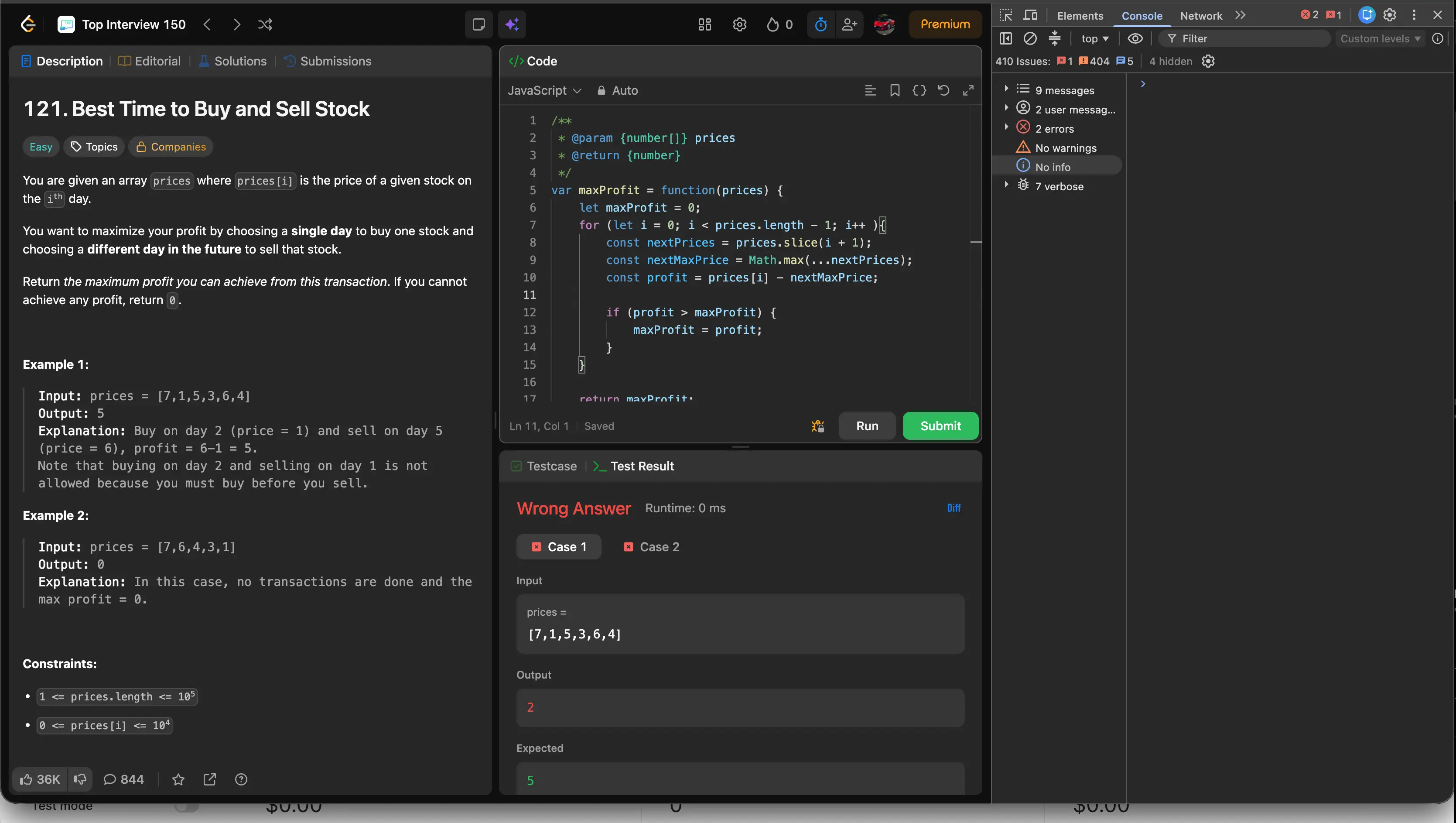
You wrote the code, but the tests come back red. It looks fine at a glance, yet both cases fail, and the interviewer is watching. This is where the seconds start to feel long.
Use Case · Coding Interviews
The calm way to beat interview stress and brain freeze. The walkthrough below is a real coding interview scenario: one shortcut and Hidini reads your screen and the task, then shows the corrected code with a comment right where the fix belongs. Invisible on screen share.
You wrote the code, but the tests come back red. It looks fine at a glance, yet both cases fail, and the interviewer is watching. This is where the seconds start to feel long.
![The same LeetCode problem after the fix suggested by Hidini, with the profit calculation corrected to nextMaxPrice minus prices[i] and the test result showing Accepted.](/_astro/leetcode-accepted.CU2E2vlg_zhCwv.webp)
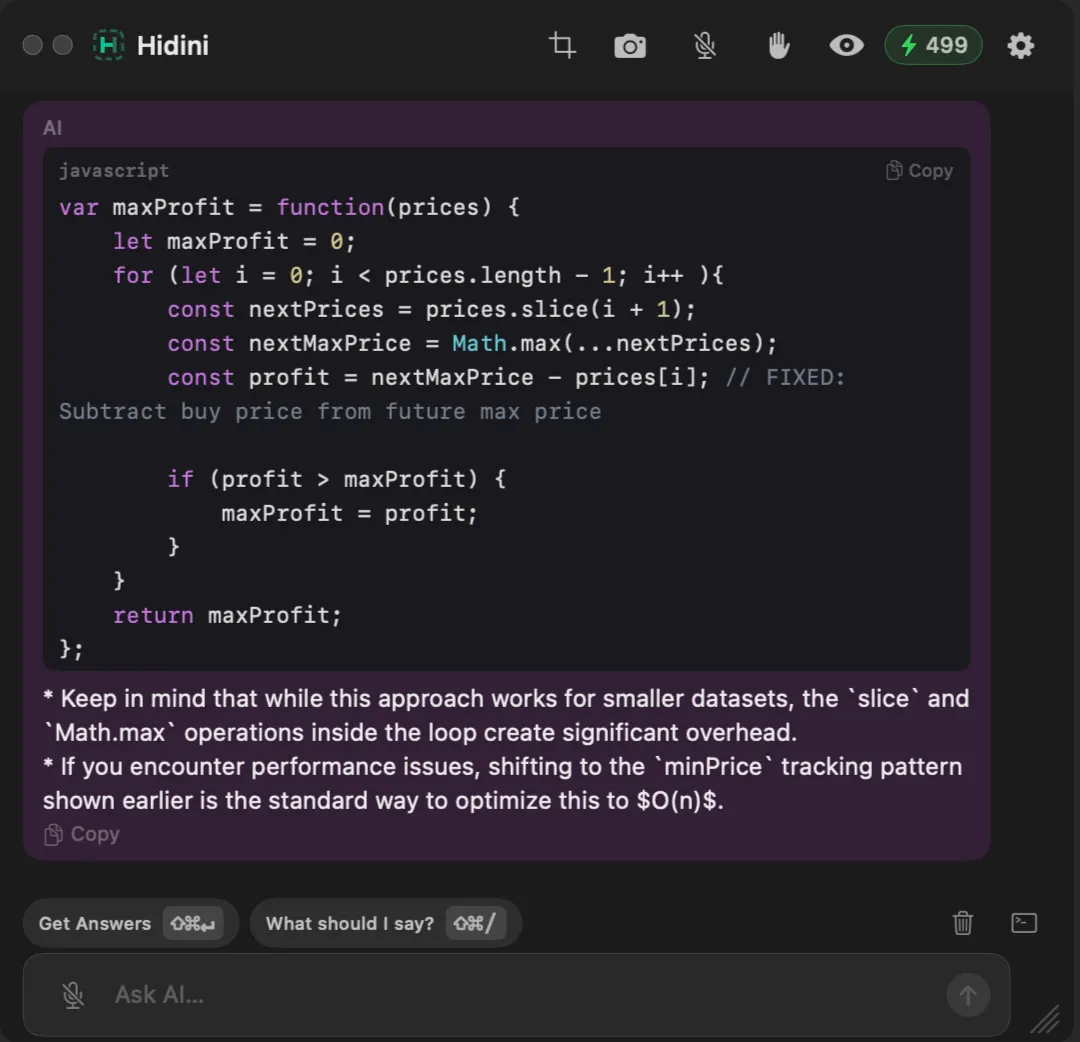
Hidini found the bug and handed back the fix, with a comment clearly flagging the exact spot that changed. One edit later the test read Accepted. Additionally, it suggested a way to make the code more efficient. The whole layer stayed invisible on the call.
How It Works
A single hotkey wakes Hidini. No window to find, no tab to switch to, nothing the interviewer can see on the shared screen.
Hidini captures what you are looking at, the prompt, your code, and the failing test, then works out what the exercise actually wants.
The corrected code comes back with a short comment sitting exactly on the line that was wrong, so you know what to change and why.
Why It Fits
Hidini does not appear in shared or recorded screens on macOS. A quick check for a bug stays yours.
The hint is quiet and out of the way, so you keep talking through your approach instead of going silent.
No window to hunt for and no tab to switch to. A single hotkey reads the screen and the task and returns the fix.
Corrected code comes back with a comment on the exact line, so you understand the change instead of pasting blindly.
FAQ
No. Hidini is invisible to screen sharing and screen recording on macOS. On the shared screen there is nothing to spot, so a quick glance for a bug never shows up on the call.
One shortcut press. Hidini reads the current screen and the task, then returns the corrected code with an inline comment on the exact line that needs the change, usually within a couple of seconds.
Yes. The screenshots on this page were taken during a live LeetCode-style exercise. Hidini spotted a flipped subtraction that was producing a Wrong Answer and pointed to the exact fix that turned it into Accepted.
It is built not to be. The nudge is quiet and stays out of the way, so you can keep talking and thinking out loud while you read the hint instead of stopping the conversation.
Want the full picture? Read about every feature or see pricing.
Free to try, no subscription required. Install in seconds and start your first session.
macOS 14 Sonoma or later · Apple Silicon and Intel